Skip to content 20% off Web Hosting until 31 October 2026See promo

Node.js hosting for Express apps, APIs and bots.

Run Node.js apps from the Node.js menu in cPanel: pick a version, set the entry file, install dependencies with npm, then restart in one click.

  • From Rp 15,000/month
  • Node.js 10 to 22
  • npm
  • SSH and Git

Plans & pricing

Node.js Hosting plans

Node.js, SSH, Git and cron are included in every size.

  • Newbie

    For learning to deploy and side projects

    Rp 15,000 / month

    Specs

    • 1 Domain
    • 2 GB NVMe Storage
    • Unlimited Bandwidth
    • Unlimited Subdomain

    Included

    • Developer Tools SSH Access, Node.js, PHP Selector, Python, Composer, Git Control, Cron Jobs
    • Free SSL SSL certificate installed automatically
    • Free domain Free with a minimum 1-year purchase
    Order now
  • Expert

    For several production apps

    Rp 45,000 / month

    Specs

    • 5 Domain
    • 10 GB NVMe Storage
    • Unlimited Bandwidth
    • Unlimited Subdomain

    Included

    • Developer Tools SSH Access, Node.js, PHP Selector, Python, Composer, Git Control, Cron Jobs
    • Free SSL SSL certificate installed automatically
    • Free domain Free with a minimum 1-year purchase
    Order now

Hosting stack

Six core components in every hosting plan

All AnymHost hosting runs on the same stack, so performance, security and data recovery do not depend on which plan you pick.

Control panel

cPanel

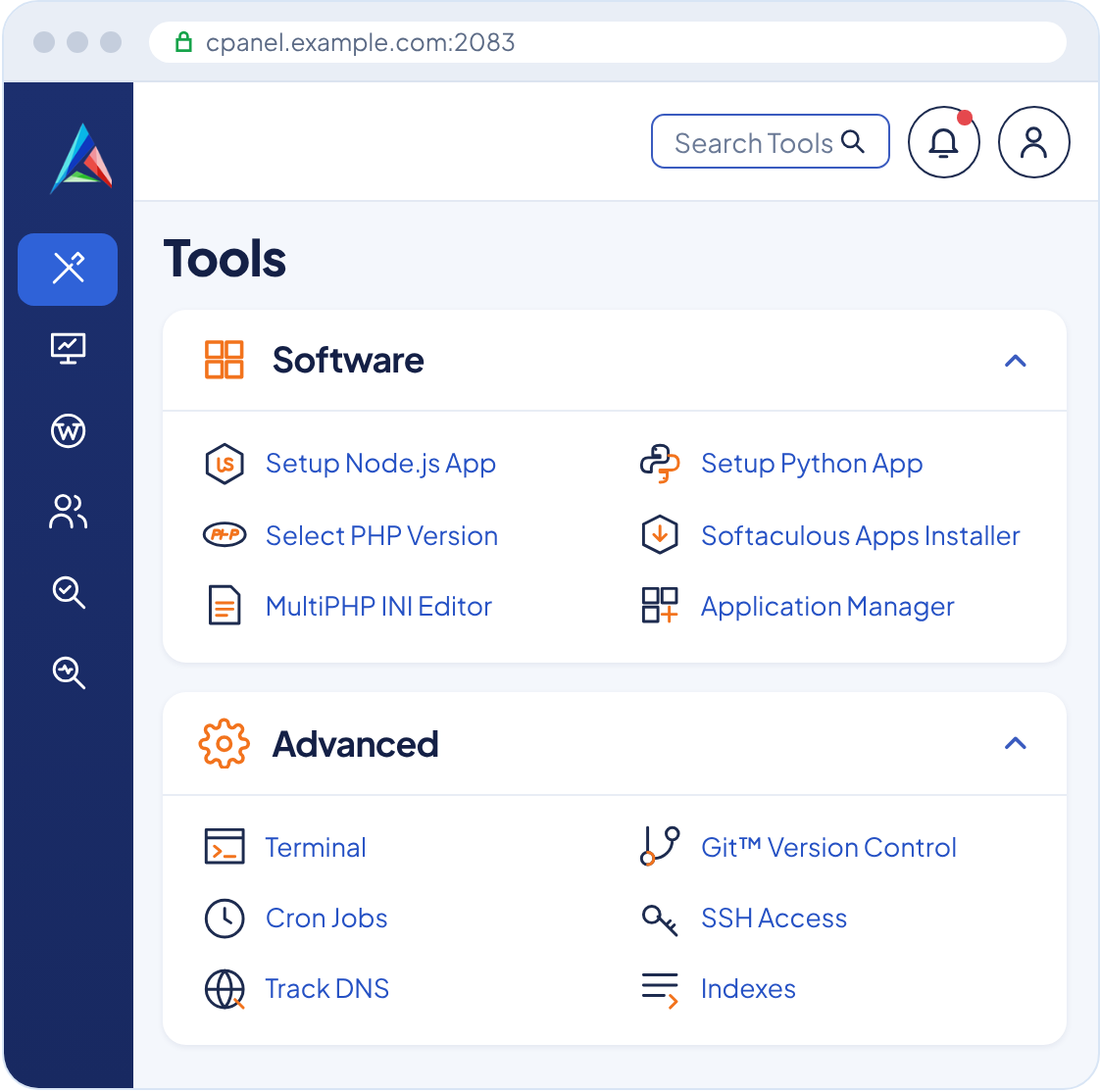
Manage domains, email, files, databases and the app installer from one dashboard most hosting users already know.

cPanel dashboard with the AnymHost logo

Web server

LiteSpeed Enterprise

A fast web server with built-in caching that keeps pages light when traffic grows.

Account isolation

CloudLinux OS

Each account has its own resource limits, so a spike on one website does not slow down others on the same server.

Backups

JetBackup

Automatic backups you can restore yourself from cPanel, including files, databases and email.

Security

Imunify360

A firewall and malware scanner that detects and cleans suspicious files automatically.

HTTPS

Free SSL

SSL certificates are installed automatically so your website shows the secure HTTPS padlock.

About the framework

What is Node.js?

Node.js is a JavaScript runtime that runs on the server, built on Chrome V8 engine. With Node.js, the same language runs in the browser and on the server.

Its event-driven, non-blocking I/O model makes Node.js efficient for APIs, real-time apps and services that wait on databases or networks. The npm ecosystem offers millions of ready-made packages.

Key features

  • Non-blocking I/O

    Serves many requests at once without waiting one by one.

  • npm ecosystem

    Millions of packages for databases, auth and payments.

  • One language

    JavaScript or TypeScript on the frontend and backend.

  • Built for APIs

    Lightweight for JSON services and app integrations.

Advantages

Node.js without managing servers.

  • Node.js 10 to 22

    Set the Node.js version, entry file and environment variables for each app from cPanel.

  • npm over SSH

    Install dependencies, run builds and check app logs right from the terminal.

  • SSL and your own domain

    Your app runs on your domain or subdomain with free SSL.

deploy-node.sh
  1. git pull origin main

    pull the latest release from the repository

  2. npm ci --omit=dev

    install production dependencies

  3. npm run build

    build TypeScript or assets if needed

  4. restart from the Node.js menu in cPanel

    the app runs the latest code

Developer tools

Everything in Cheap Hosting is included

Plus programming language and database support

After you order

Support and after-sales guarantee

Our commitment starts with pre-sales questions and continues through after-sales support for every hosting plan.

AnymHost Support Team online
  • Hi, my website has shown 503 Service Unavailable since this afternoon. What happened?
  • We checked your account: the Entry Process and RAM limits are at 100%, so the server rejects new requests.
  • anymhost.id/blog How to fix error 503 Service Unavailable on hosting
  • We have killed the stuck processes for now. If traffic keeps growing, upgrading to the next plan gives you more room.
  • It is back up. I will upgrade now, thanks!
  • Hi! I want to build a website for our school. Which plan would fit?
  • Hi there! For a school profile with news and a photo gallery, a small Web Hosting plan is plenty.
  • If you plan to use the RDM report card app, our RDM Hosting comes with the app installed for you.
  • That is exactly what we need, thanks!
  • If my website gets more visitors later, can I upgrade my plan?
  • Absolutely. You can upgrade any time from the client area, and your files and email stay right where they are.
  • Not sure which plan is next? Our team can help you size it.
  • Good to know. I will start small then.
  • Can I pay with QRIS or an e-wallet?
  • Yes! QRIS, DANA, OVO, GoPay, ShopeePay and bank virtual accounts all work.
  • Once the payment comes in, hosting activates automatically and your login details go to your email.
  • Great, ordering now.
  • My website is with another host right now. Is moving here a hassle?
  • Not at all, migration is free and we move it for you.
  • Just send your old hosting access through a ticket and we will let you know when it is done.
  • Nice, I can just sit back then.

24/7 support team

Not sure where to start? We answer with the cause, the steps we took and a guide you can keep for next time.

Quick questions

Orders, payments, plan choice

  • WhatsApp
  • Telegram
  • Live chat

Technical issues

Logs, account access and errors are recorded in one thread

30-day money-back guarantee

If a technical problem comes up that we cannot solve within 30 days, you get your money back.

Read the terms of service

Complete documentation

Written guides on the AnymHost blog and video tutorials on YouTube for solving common issues yourself.

Open the AnymHost blog

Looking for something else? Here are a few options

Technical questions

Short technical answers for developers.

Which Node.js frameworks can I run?

Node.js web apps such as Express, Fastify, Koa or simple APIs can run as Node.js applications in cPanel.

How do I choose the Node.js version?

Through the Node.js menu in cPanel. Pick a version from Node.js 10 to 22, set the app folder and entry file, then start the app.

Can I run bots or always-on processes?

This hosting suits web apps that respond to requests. For bots or workers that must run 24 hours with large resources, a VPS is a better fit.

Is a database available?

MySQL is available in cPanel. Connect your Node.js app with a MySQL driver such as mysql2 or through an ORM.

Do I get root access?

No. This plan gives you SSH for your own hosting account, not root access. If you need root access or long-running processes with large resources, use a VPS.

Can you help me move from my old host?

Yes, for purchases of at least 1 year. Open a ticket in the client area with your old hosting access and our team helps you move.

How do backups work?

Backups run automatically with JetBackup and are stored on a separate server. There are always 3 daily backups and 1 weekly backup, covering files, databases and email. You can restore them yourself from cPanel at no extra cost.

Node.js Hosting

Run your Node.js app today

Pick a hosting plan, deploy with Git and npm, then go live on your own domain with SSL.

Anym-chan making a heart with both hands
WhatsApp